How-to
How to clean a robot vacuum and its dock
Published
Note: This page contains affiliate links. If you buy through them we may earn a commission at no extra cost to you. Learn more
In short
Each week, empty the bin if the robot does not self-empty, cut hair off the main and side brushes and tap out the filter. Every few weeks, wipe the sensors, charging contacts and lidar or camera window with a dry cloth, and on mopping docks rinse the dirty-water tank and mop washing tray. Check your manual for which parts can be washed.
Products for this job
Compare all 7 productsDreame L40 Ultra Gen2: 25,000 Pa and an extending mop
Check price on AmazonAffiliate linkEcovacs T80S Omni: self-washing roller mop, 24,800 Pa
Check price on AmazonAffiliate linkEufy Omni S1 Pro: 10-in-1 station and roller mop
Check price on AmazonAffiliate link
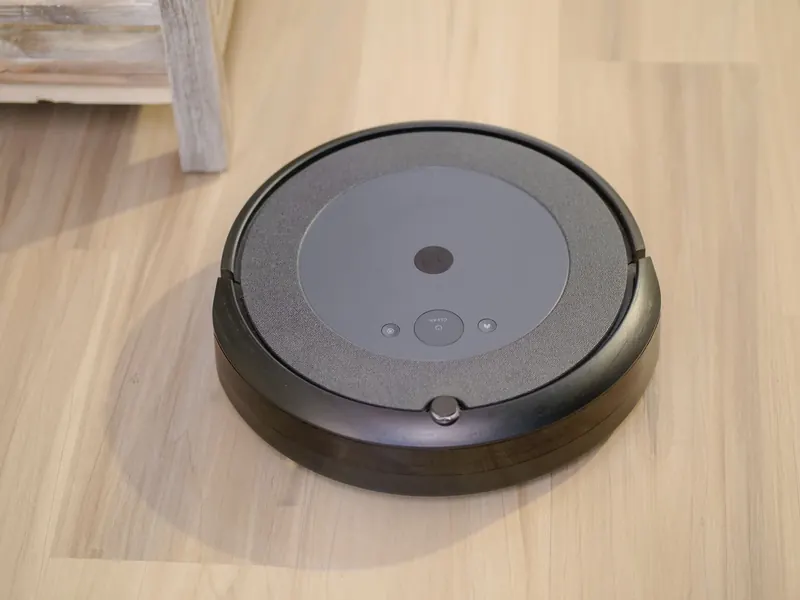
A robot vacuum cleans your floors, but it needs a little cleaning itself. Hair round the brushes, a clogged filter or a dusty sensor are behind many cases of weak suction, missed patches and robots getting lost. The good news is that the routine is short. This guide shows how to clean each part of an Ecovacs DEEBOT, Eufy RoboVac, Roomba, Roborock or similar robot, plus the dock, and gives a simple weekly and monthly plan.
Before you start
Switch the robot off or pause it, and take it off the dock. For the dock itself, unplug it from the wall before cleaning, especially an all-in-one dock with water tanks. Have a pair of small scissors, a dry microfibre cloth, a soft brush and the cleaning tool that came with the robot to hand. Many robots store this tool in the bin or the dock.
Check the manual for which parts may be rinsed with water. Bins and some filters are washable on some models and not on others, and electronics must never get wet.
Note:Unplug the dock from the mains before cleaning it or emptying its water tanks, and keep water away from the charging contacts, the robot's ports and the plug. Let any washed part dry completely before refitting.
Brushes, bin and filter
These three parts do most of the work and need attention most often, particularly in homes with pets or long hair.
- 1
Empty the bin into a household bin, or let the self-emptying dock do it.
- 2
Turn the robot over and release the main brush guard, usually with clips or a latch.
- 3
Lift out the main brush, pull the end caps off if they come away, and remove hair wound round the axle and ends.
- 4
Cut tangled hair along the brush with scissors or the robot's cutting tool, taking care not to cut bristles or fins.
- 5
Wipe the brush housing and check the wheels and castor wheel for hair.
- 6
Remove the side brush if it clips or unscrews off, pull hair from its base and straighten bent bristles.
- 7
Take the filter out of the bin and tap it against the inside of a bin until dust stops falling out.
- 8
Refit everything, making sure the brush ends seat in their slots.
Sensors, lidar window and charging contacts
Robots navigate with cliff sensors on the underside, a bump sensor or front sensors, and often a lidar turret on top or a camera at the front. Dust on any of these can cause bumping, false cliff warnings, errors or a poor map. Wipe them gently with a dry microfibre cloth or cotton bud. Avoid sprays, solvents and wet wipes unless your manual allows them.
The metal charging contacts on the robot and the dock also collect dust and grime. A quick wipe with a dry cloth helps the robot charge reliably. If your robot has trouble docking, cleaning the contacts and the dock's sensor window is the first thing to try, then see robot vacuum won't dock.
If your robot uses lidar, check the turret spins freely and nothing is lodged around it.
Cleaning the dock, mop tray and dirty-water tank
Self-emptying docks need the bag changing when full and the inlet port checked for blockages. All-in-one docks that wash mops need more care, because damp dirt left in a tank or tray soon smells.
Empty and rinse the dirty-water tank after each mopping session or when the app asks; many people do it every few runs. Every week or two, lift out the mop washing tray, scrub off grime and hair with a soft brush under the tap, and wipe the area underneath. Rinse the clean-water tank occasionally and refill it with fresh water, plus only the cleaning solution your maker approves. Check the hot-air drying vent is not blocked.
- Dirty-water tank: empty and rinse often.
- Mop washing tray: scrub every week or two.
- Clean-water tank: rinse and refill with fresh water.
- Mop pads: let the dock dry them, or wash removable pads as the manual says.
- Dust bag: change when the app or dock says full.
A weekly and monthly routine
How often you need to do each job depends on your floors, pets and how often the robot runs. This plan suits a typical home running a robot several times a week. Increase the frequency with a shedding pet; our guide to the best robot vacuum for pet hair covers robots whose brushes tangle less.
| When | Jobs |
|---|---|
| After each run (no self-empty) | Empty the bin |
| After mopping | Empty and rinse the dirty-water tank |
| Weekly | Remove hair from brushes and wheels, tap out the filter |
| Every 2 to 4 weeks | Wipe sensors, lidar window, camera and charging contacts; scrub the mop tray |
| Monthly | Wash the bin if the manual allows, check the dock inlet, inspect brushes for wear |
| When prompted | Replace filter, brushes, mop pads and dust bag |
Frequently asked questions
How do I clean a Roborock filter? On most Roborock models, take the bin out, lift out the filter and tap it clean. Some Roborock filters are washable and some are not, so check the manual for your model and dry a washed filter fully before refitting.
How do I clean an Ecovacs DEEBOT? The same routine applies: clear the main and side brushes, tap out the filter, wipe the sensors and lidar cover, and on Omni docks rinse the dirty-water tank and wash tray. The Ecovacs app shows when parts are due for cleaning or replacement.
Can I wash a robot vacuum bin with water? On many robots the bin can be rinsed once the filter is removed, but not on models where the bin contains a fan or electronics. Follow your manual and dry the bin fully.
Why does my robot mop dock smell? Usually because dirty water or wet debris has been left in the tank or tray. Empty and rinse the dirty-water tank more often, scrub the tray and make sure the mops are drying after each run.
What you need
- Check price on AmazonAffiliate link
Dreame L40 Ultra Gen2: 25,000 Pa and an extending mop
- Check price on AmazonAffiliate link
iRobot Roomba Combo 10 Max: mop retracts to top of robot
- Check price on AmazonAffiliate link
Xiaomi H40: compact 32.6 cm self-empty base
- Check price on AmazonAffiliate link
Ecovacs T80S Omni: self-washing roller mop, 24,800 Pa